Overview

boundless is a command-line interface for interacting with the Boundless Market, specifically designed to help requestors and provers with common interactions

Installation

The Boundless CLI source code can be found at boundless/crates/boundless-cli.
You’ll need to install Rust, then you can run the following command to install the CLI.
cargo install --locked --git https://github.com/boundless-xyz/boundless boundless-cli --branch release-1.1 --bin boundless

Overview

What is a module?

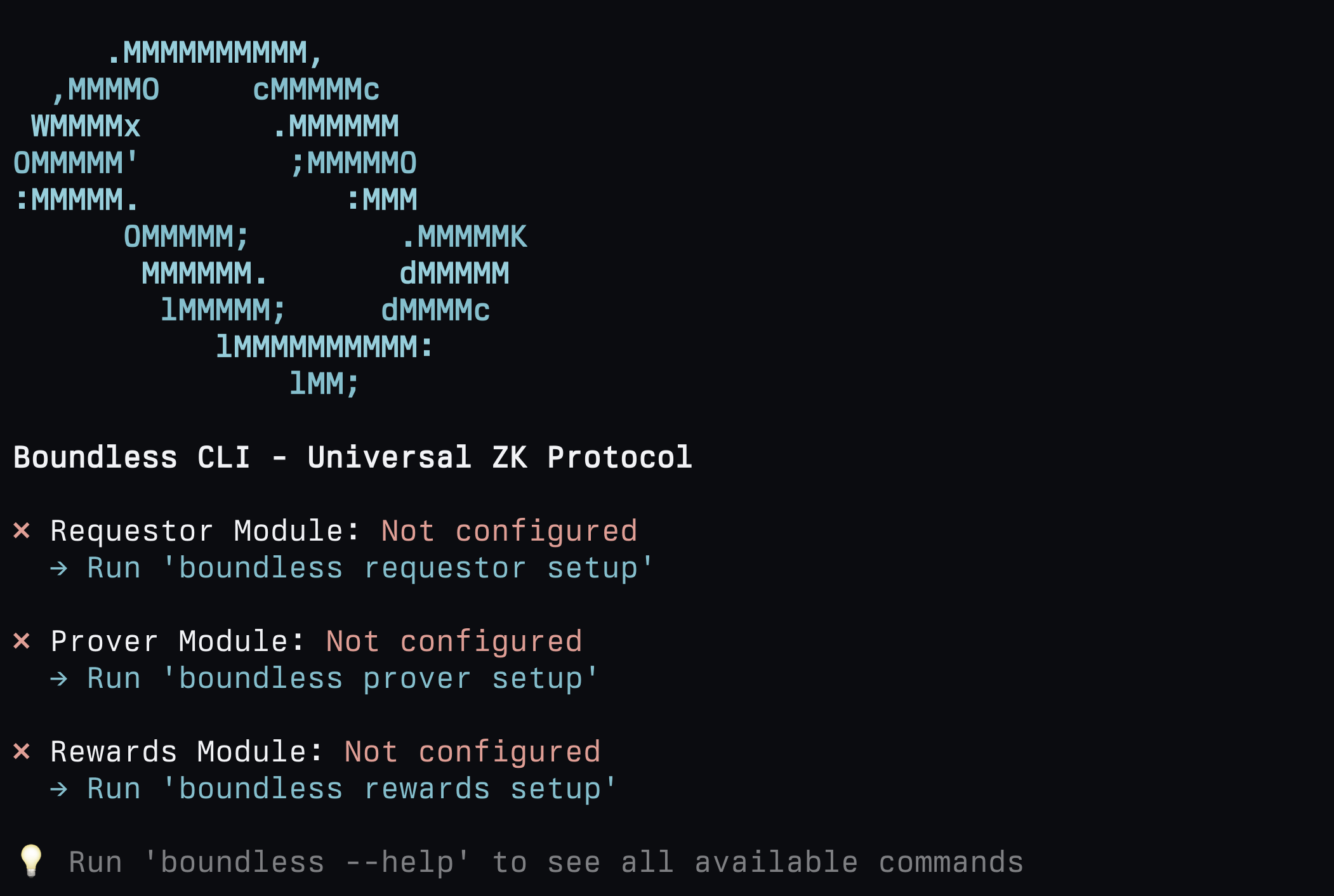
Once installed, simply running boundless gives a helpful overview: Boundless CLI The CLI has three main modules:
  • Requestor Module: Commands for submitting proof requests
  • Prover Module: Commands for locking, executing, proving and fulfilling proof requests
  • Rewards Module: Commands for staking and delegating $ZKC, claiming staking and mining rewards, seeing recent rewards and more.

Module setup

Each module has a respective interactive setup command which allows you to store (in plaintext!) variables such as relevant RPC URLs, private keys etc:
boundless <MODULE> setup
These setup commands store secrets in the ~/.boundless/ directory. Any further command calls will first check this location for the relevant secrets, otherwise it will check the flags passed directly to the command.

Command help pages

For a detailed help page for a specific command, run the command with the --help flag, for example:
boundless prover deposit-collateral --help
which will detail all the relevant options annd mandatory flags:
Usage: boundless prover benchmark [OPTIONS] --request-ids <REQUEST_IDS>

Options:
      --request-ids <REQUEST_IDS>
          Proof request ids to benchmark

  -h, --help
          Print help (see a summary with '-h')

Prover:
      --prover-rpc-url <PROVER_RPC_URL>
          RPC URL for the prover network

          [env: PROVER_RPC_URL=]

      --prover-private-key <PRIVATE_KEY>
          Private key for prover transactions

          [env: PROVER_PRIVATE_KEY]

...

Modules

Requestor

The requestor module allows requestors to deposit/withdraw funds into the market, submit proof requests, track the status of any proof request, and get and verify proofs from the Boundless market. To see all available requestor module commands, run:
boundless requestor --help

Requestor Commands

Usage: boundless requestor [OPTIONS] <COMMAND>

Commands:
  config             Show requestor configuration status
  deposit            Deposit funds into the market
  withdraw           Withdraw funds from the market
  deposited-balance  Check the balance of an account in the market
  balance            Check the balance of an account (alias for deposited-balance)
  submit-file        Submit a fully specified proof request from a YAML file
  submit             Submit a proof request constructed with the given offer, input, and image
  status             Get the status of a given request
  get-proof          Get the journal and seal for a given request
  verify-proof       Verify the proof of the given request
  setup              Interactive setup wizard for requestor configuration
  help               Print this message or the help of the given subcommand(s)

Options:
  -h, --help  Print help

Global Options:
      --tx-timeout <TX_TIMEOUT>  Ethereum transaction timeout in seconds [env: TX_TIMEOUT=]
      --log-level <LOG_LEVEL>    Log level (error, warn, info, debug, trace) [env: LOG_LEVEL=] [default: warn]

Module Configuration:
  Run 'boundless requestor setup' for interactive setup

  Alternatively set environment variables:
    REQUESTOR_RPC_URL         RPC endpoint for requestor module
    REQUESTOR_PRIVATE_KEY     Private key for requestor transactions
    BOUNDLESS_MARKET_ADDRESS  Market contract address (optional, has default)
    SET_VERIFIER_ADDRESS      Verifier contract address (optional, has default)

  Or configure while executing commands:
    Example: boundless requestor balance --requestor-rpc-url <url> --requestor-private-key <key>

Prover

The prover module allows provers to deposit collateral into the market, lock and fulfill orders, carry out benchmarking, manually execute guest programs from the market (useful for debugging), and provides functionality to manually slash an order. To see all available prover module commands, run:
boundless prover --help

Prover Commands

Usage: boundless prover [OPTIONS] <COMMAND>

Commands:
  config               Show prover configuration status
  deposit-collateral   Deposit collateral funds into the market
  withdraw-collateral  Withdraw collateral funds from the market
  balance-collateral   Check the collateral balance of an account
  lock                 Lock a request in the market
  fulfill              Fulfill one or more proof requests
  execute              Execute a proof request using the RISC Zero zkVM executor
  benchmark            Benchmark proof requests
  slash                Slash a prover for a given request
  setup                Interactive setup wizard for prover configuration
  help                 Print this message or the help of the given subcommand(s)

Options:
  -h, --help  Print help

Global Options:
      --tx-timeout <TX_TIMEOUT>  Ethereum transaction timeout in seconds [env: TX_TIMEOUT=]
      --log-level <LOG_LEVEL>    Log level (error, warn, info, debug, trace) [env: LOG_LEVEL=] [default: info]

Module Configuration:
  Run 'boundless prover setup' for interactive setup

  Alternatively set environment variables:
    PROVER_RPC_URL            RPC endpoint for prover module
    PROVER_PRIVATE_KEY        Private key for prover transactions
    BOUNDLESS_MARKET_ADDRESS  Market contract address (optional, has default)
    SET_VERIFIER_ADDRESS      Verifier contract address (optional, has default)

  Or configure while executing commands:
    Example: boundless prover balance --prover-rpc-url <url> --prover-private-key <key>

Rewards

The rewards module allows provers to deposit collateral into the market, lock and fulfill orders, carry out benchmarking, manually execute guest programs from the market (useful for debugging), and provides functionality to manually slash an order. For a full walkthrough on the ZK mining process, see ZK Mining Overview. To see all available rewards module commands, run:
boundless rewards --help

Reward Commands

Usage: boundless rewards [OPTIONS] <COMMAND>

Commands:
  config                 Show rewards configuration status
  stake-zkc              Stake ZKC tokens
  balance-zkc            Check ZKC balance
  staked-balance-zkc     Check staked ZKC balance
  list-staking-rewards   List staking rewards by epoch
  list-mining-rewards    List mining rewards by epoch
  prepare-mining         Prepare mining work log update
  submit-mining          Submit mining work updates
  claim-mining-rewards   Claim mining rewards
  claim-staking-rewards  Claim staking rewards
  delegate               Delegate rewards to another address
  get-delegate           Get rewards delegate
  epoch                  Get current epoch information
  power                  Check reward power and earning potential
  inspect-mining-state   Inspect mining state file and display detailed statistics
  setup                  Interactive setup wizard for rewards configuration
  help                   Print this message or the help of the given subcommand(s)

Options:
  -h, --help  Print help

Global Options:
      --tx-timeout <TX_TIMEOUT>  Ethereum transaction timeout in seconds [env: TX_TIMEOUT=]
      --log-level <LOG_LEVEL>    Log level (error, warn, info, debug, trace) [env: LOG_LEVEL=] [default: warn]

Module Configuration:
  Run 'boundless rewards setup' for interactive setup

  Alternatively set environment variables:
    REWARD_RPC_URL            RPC endpoint for rewards module
    REWARD_PRIVATE_KEY        Private key for reward transactions
    STAKING_PRIVATE_KEY       Private key for staking (can differ from reward key)
    MINING_STATE_FILE         Path to mining state file (optional)
    ZKC_ADDRESS               ZKC token contract (optional, has default)
    VEZKC_ADDRESS             Staked ZKC NFT contract (optional, has default)
    STAKING_REWARDS_ADDRESS   Rewards distribution contract (optional, has default)
    BEACON_API_URL            Beacon API URL (optional)

  Or configure while executing commands:
    Example: boundless rewards balance-zkc --reward-rpc-url <url> --staking-private-key <key>

Requesting a Proof via the Boundless CLI

In early testing, and when trying out new order parameters, it can be useful to submit a request via the Boundless CLI. The Boundless CLI builds upon the boundless_market library. It covers multiple market interactions such as submitting proof requests, cancelling requests, executing dry runs, requesting the status of a given request, retrieving the journal and seal of a fulfilled request and verifying a proof. To submit a proof, a valid request.yaml is required, this config file will specify the parameters of the request:
  • Request ID
    • This can be specified, or if set to 0, a random ID will be assigned.
  • Requirements:
    • The image ID of the program being proven.
    • The contents of the outputs of the program, the journal. This is to make sure the outputs are as expected (e.g., to ensure the right input was provided, by checking an input digest committed to the journal).
  • Image URL
    • The link to the program stored on any public HTTP server. IPFS, used through a gateway, works well (Boundless will support IPFS URLs natively in the future).
  • Input:
    • The input bytes are passed to the program for execution. The input can have any encoding. The bytes will be passed to the guest without modification.
  • Offer:
    • This includes the minimum and maximum price for the proof request, the block number to open bidding, the price ramp up period, how many blocks before the request should timeout, and the lock-in stake the prover has to escrow to submit a bid.
Below is an example of a request.yaml file that can be used with the boundless submit request command.
request.yaml
# Unique ID for this request, constructed from the client address and a 32-bit index.
# Constructed as (address(client) << 32) | index
id: 0 # if set to 0, gets overwritten by a random id

# Specifies the requirements for the delivered proof, including the program that must be run,
# and the constraints on the journal's value, which define the statement to be proven.
requirements:
    imageId: "53cb4210cf2f5bf059e3a4f7bcbb8e21ddc5c11a690fd79e87947f9fec5522a3"
    predicate:
        predicateType: PrefixMatch
        data: "53797374"
    callback:
        addr: "0x0000000000000000000000000000000000000000"
        gasLimit: 0
    selector: "00000000"

# A public URI where the program (i.e. image) can be downloaded. This URI will be accessed by
# provers that are evaluating whether to bid on the request.
imageUrl: "https://gateway.beboundless.cloud/ipfs/bafkreie5vdnixfaiozgnqdfoev6akghj5ek3jftrsjt7uw2nnuiuegqsyu"

# Input to be provided to the zkVM guest execution.
# The input data is a encoded guest environment.
# See crates/boundless-market/src/input.rs for additional details.
input:
    inputType: Inline
    data: "0181a5737464696edc003553797374656d54696d65207b2074765f7365633a20313733383030343939382c2074765f6e7365633a20363235373837303030207d"

# Offer specifying how much the client is willing to pay to have this request fulfilled
offer:
    minPrice: 100000000000000
    maxPrice: 2000000000000000
    rampUpStart: 0 # if set to 0, gets overwritten by the current UNIX timestamp
    rampUpPeriod: 300
    timeout: 3600 # 1 hor
    lockTimeout: 2700 # 45 minutes
    lockCollateral: 5000000000000000000 # 5 ZKC tokens
To submit a request, export or create a .env file with the following environment variables:
Terminal
export RPC_URL="https://ethereum-sepolia-rpc.publicnode.com"
export PRIVATE_KEY="YOUR_SEPOLIA_WALLET_PRIVATE_KEY"
Then run the following command:
Terminal
RUST_LOG=info boundless request submit request.yaml
To wait until the submitted request has been fulfilled, the --wait option can be added:
Terminal
# [!code word:--wait]
RUST_LOG=info boundless request submit request.yaml --wait
And to submit the request to the offchain order-stream service, make a deposit and then run request submit with --offchain.
Terminal
# [!code word:--offchain]
RUST_LOG=info boundless account deposit 0.002 # Enough for the request above; deposit more to cover multiple requests.
RUST_LOG=info boundless request submit request.yaml --wait --offchain