

Using the CLI
The Boundless CLI provides the following command:Terminal
Programmatically
When you submit a proof request to Boundless, you can track its status programmatically using the Boundless client. This allows you to integrate request monitoring directly into your applications.Basic Request Tracking
Here’s how to wait for a request to be fulfilled:no_run
How It Works
Thewait_for_request_fulfillment method:
- Polls the request status at the specified interval (e.g., every 5 seconds)
- Checks for completion states:
Fulfilled: Request completed successfully - returns journal and sealExpired: Request timed out - returns an error- Other states: Continues polling
- Provides status updates via logging during the wait
Request Status Types
Boundless tracks these request states:- Unknown: Request may be open for bidding or not exist
- Locked: A prover has committed to fulfilling the request
- Fulfilled: Proof generation completed successfully
- Expired: Request timed out before fulfillment
Error Handling
When tracking requests, handle these potential outcomes:no_run
Advanced Tracking
For more control, you can manually check request status:no_run
Boundless Explorer
Getting Started
The Boundless Explorer provides a straightforward web interface to monitor and analyze proof activity on the Boundless network. Developers can track live proof request statuses, analyze associated costs, review transaction details, and assess proof performance metrics. Provers can monitor active requests, track earnings, evaluate their efficiency, and benchmark performance against peers.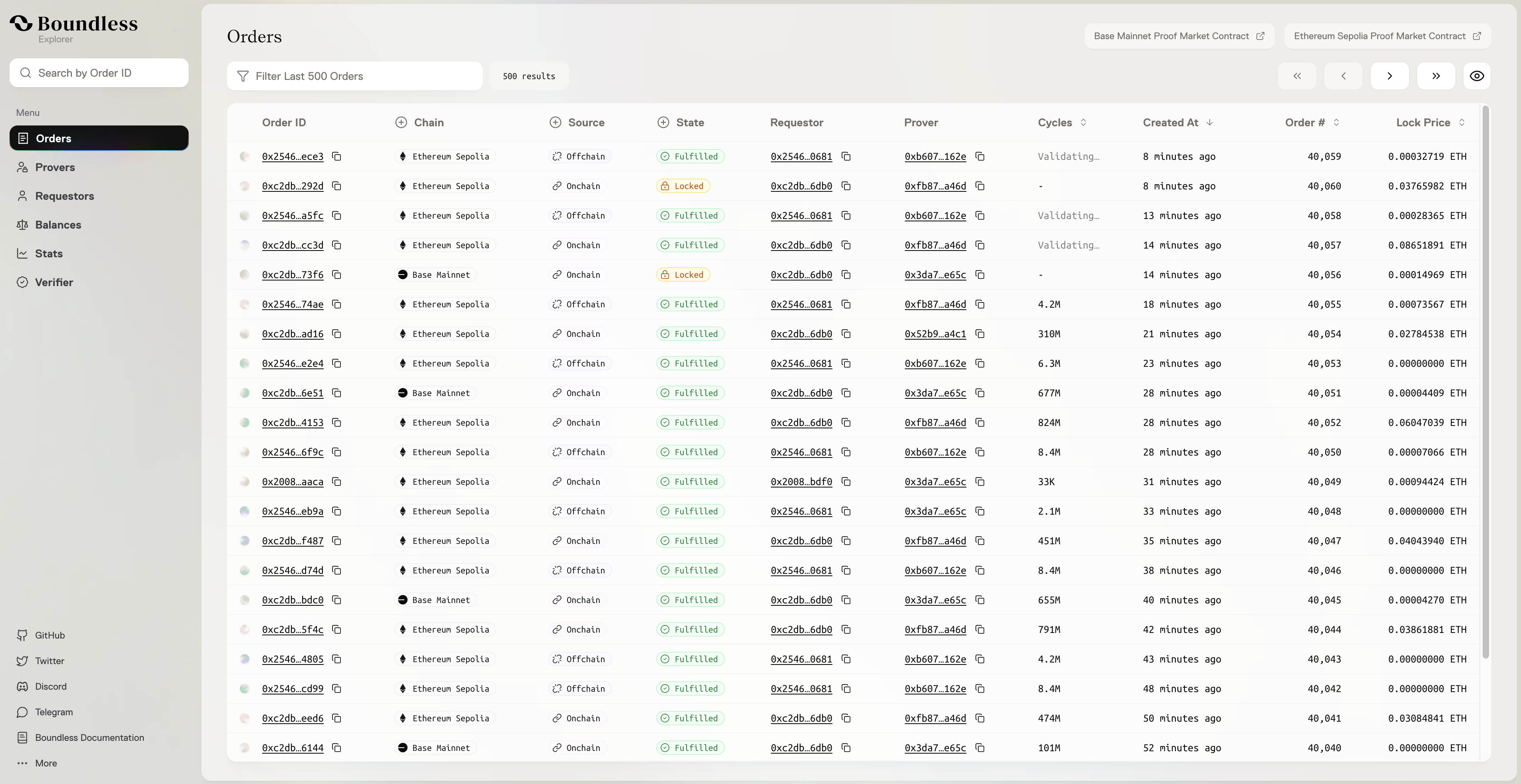
- Search through Orders and their current status.
- Check the list of all Boundless Requestors.
- Check the list of all Boundless Provers.
- View trends and analyze network patterns on the Stats page.
Need Help?
- Join our Discord community
- Report issues via GitHub